



Whether you're looking for spontaneous, last-minute travel deals or prefer to plan your next trip in advance, now is a great time to travel again. As pandemic restrictions ease, holidays once again become an opportunity to recharge. So if you can take one, you should. We love the convenience and speed of using an online one-stop shop like Booking.com for our vacation planning.
There are a lot of moving parts when planning a vacation. Booking.com offers everything you need from a variety of accommodations (hotels and motels, apartment or villa vacation rentals around the world), flights, car rentals, attractions and even airport transfers/airport taxis. The interface and clear disclosure of amenities make it easy to book the perfect option around the world, especially in areas or small/family-owned establishments that may not have their own website.
Options, speed, and convenience are important to you, but you also want to know all the ways you can save money. Vacations can be a wonderful but expensive endeavor. So, give your best travel buddy a great gift for his next trip and start planning your next adventure. Here are some tips to help you maximize your savings with Booking.com on your next vacation.
1. Participate in the Booking.com rewards program Genius

When you register an account with Booking.com, you'll be asked to sign up for a free loyalty rewards program called Genius. Genius is a tier rewards program where you earn tiers based on how often you use Booking.com. This program is genius because it unlocks new perks with each tier level, giving customers a real incentive to become loyal users of the service (sorry, I had to).
- Genius Level 1: Booking.com Rewards members automatically become Genius Level 1 members. You can enjoy the Genius Level 1 discount for free for life, giving you a 10% discount before taxes and fees at participating hotels and select rental cars.
- Genius Level 2: You will be promoted to Level 2 after completing 5 stays at a participating hotel over 2 years. At Genius Level 2, you can enjoy a 15% discount, free breakfast on select nights, and free room upgrades automatically applied on select nights.
- Genius Level 3: You will be promoted to Level 3 after completing 15 stays at a participating hotel within 2 years. At Genius Level 3, you can enjoy a 20% discount, free breakfast on select nights, free room upgrades automatically applied on select nights, and priority support on all reservations. You can also contact a live customer service representative directly when you need to discuss or make changes to your stay.
Unlike many rewards programs that have expiration dates, with Genius, your rewards are yours for life as you unlock additional Genius levels, they never expire, and you can join the program for free.
2. Sign up for promotional emails from Booking.com
If you opt in to receive promotional and marketing emails directly from Booking.com, you'll be the first to know about the latest sales, deals and promotions. In addition to Genius Rewards discounts, Booking.com often offers discounts during the off-season between the holidays and spring break.
3. Download the Booking.com app and opt-in to receive notifications.

Booking.com has highly rated apps that can be downloaded from the Apple App Store or Google Play and work on your iPhone, iPad, Android, or tablet. Not only will you be able to research and book your entire holiday through the app, but you'll also be notified of all promotions and deals if you opt-in to receive notifications.
4. Use Booking.com promo code
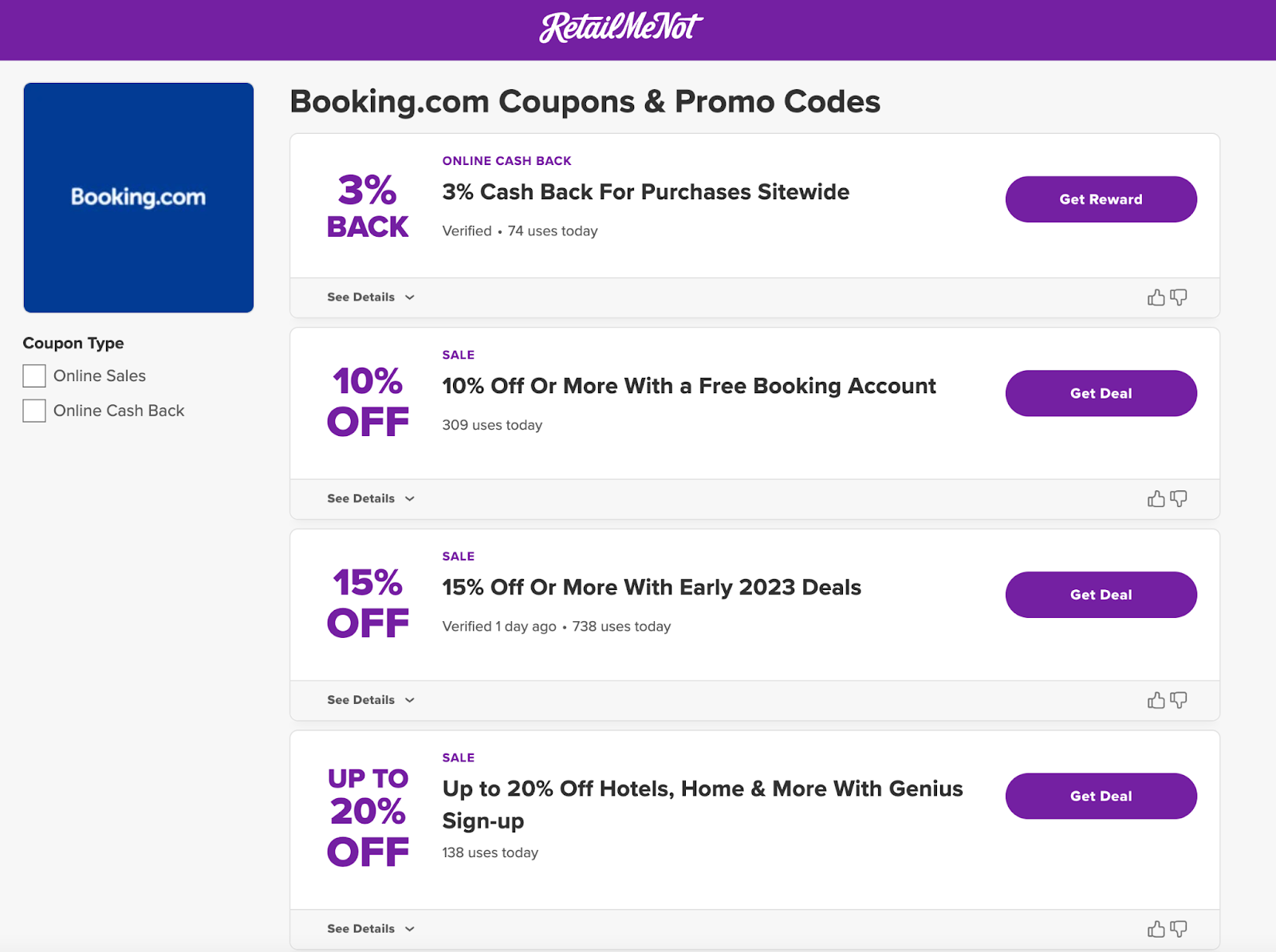
Go to the Booking.com offers page to find all current promo codes and sales information. Sometimes you can find cashback offers that allow you to get back a percentage of what you spend in cash (redeemable through Venmo or PayPal). Learn more about cashback.
To get cashback from Booking.com, follow these steps:
- Go here to get the current cashback offer.
- If you haven't already registered for a RetailMeNot account, you'll be prompted to do so.
- Click on the offer and shop on Booking.com as usual.
- You will receive an email confirming that you have received your cashback.
- Cashback will be credited to your RetailMeNot account 45 days after your trip is completed and your purchase is approved and can be redeemed through Venmo or PayPal.
5. Timing your hotel stay right can help you save on Booking.com hotel rates.
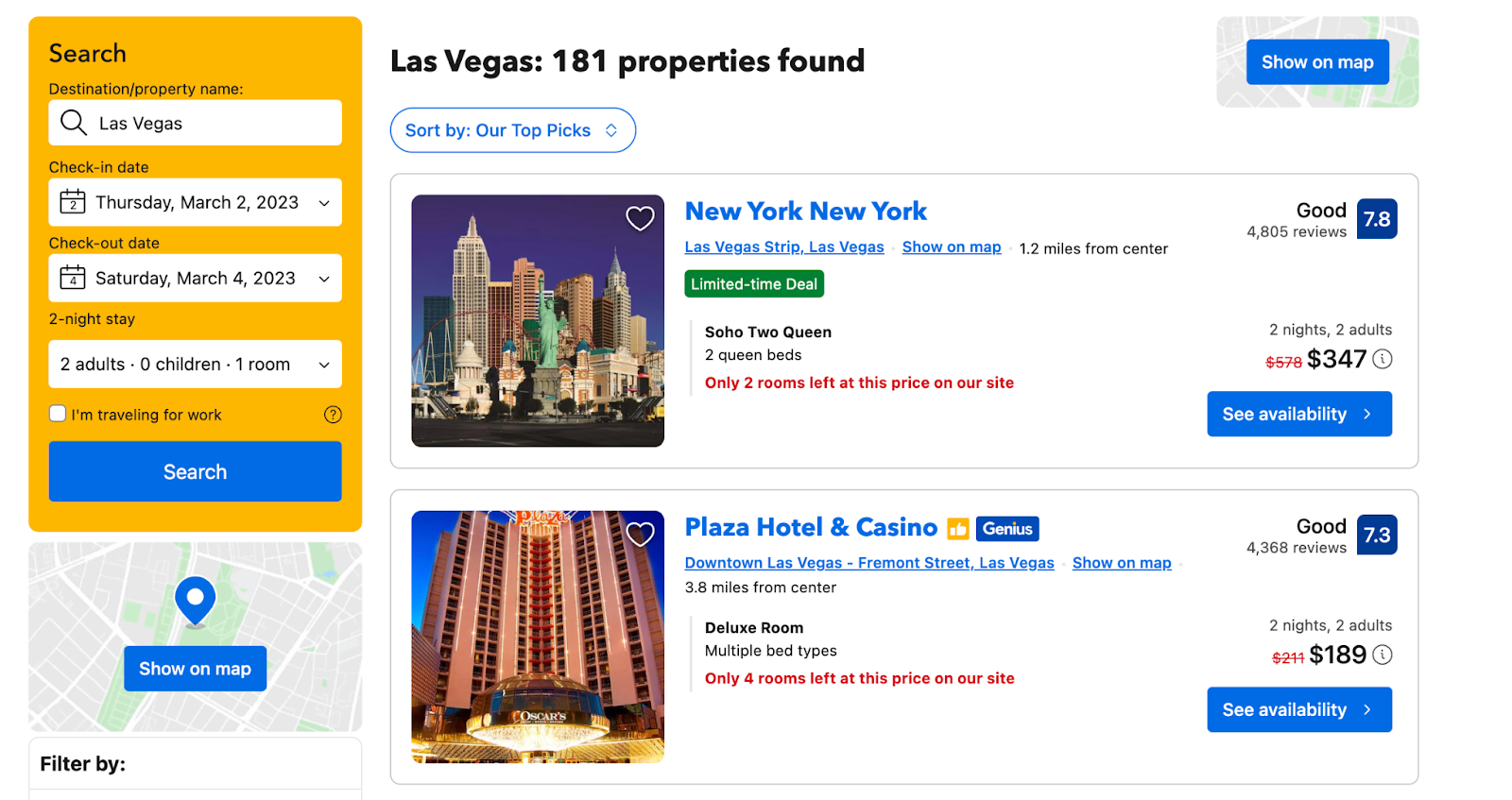
There are many reasons why accommodation prices vary, but being able to book in advance or last minute can help attract early bookers or save money for properties looking to fill inventory.
When I searched for a property the same day, I found the price was lower than it had been a month ago.
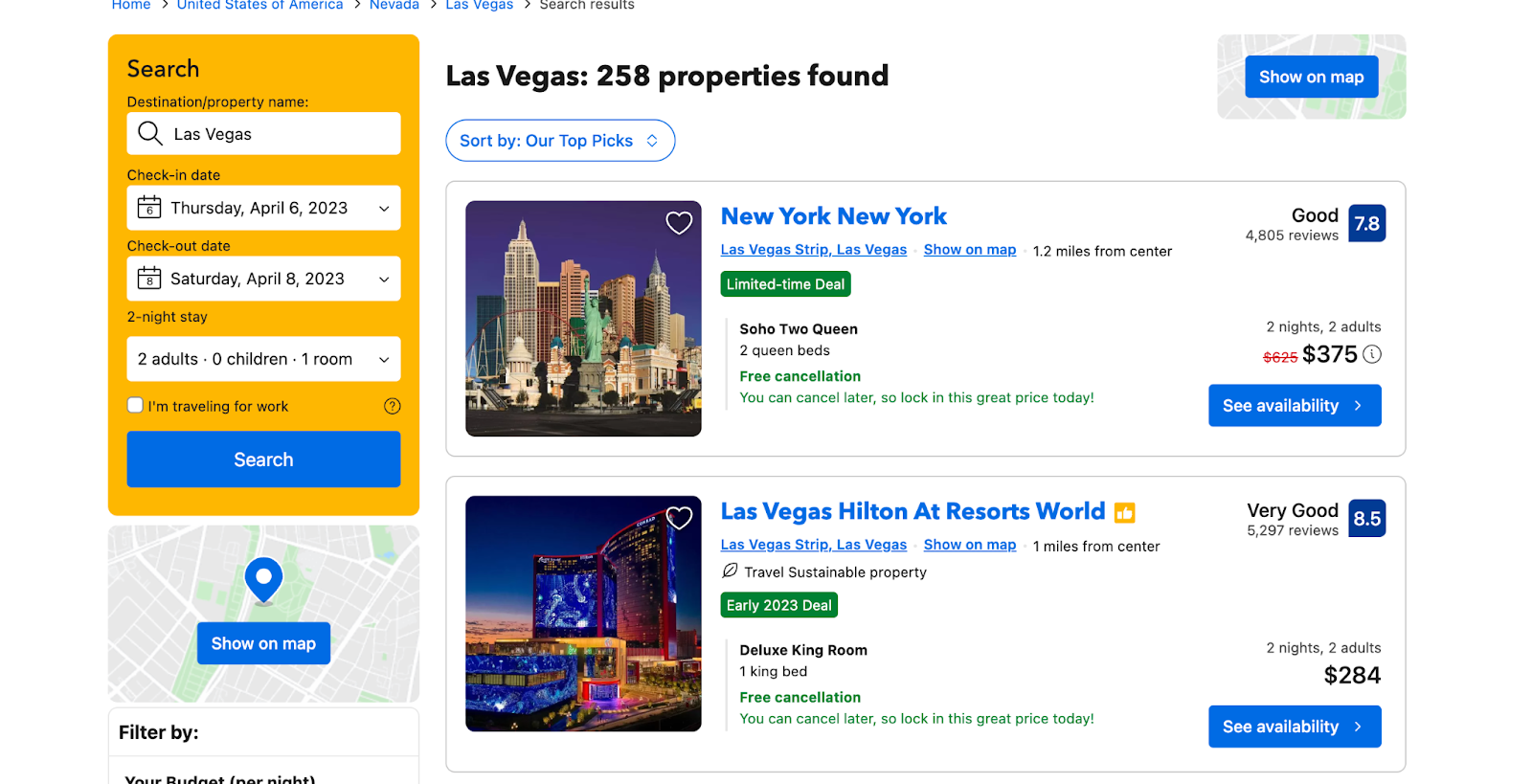
Otherwise, consider booking much earlier. When searching for another two-night stay a few months later, we again found a lower price. In fact, the lowest prices were found earlier. If your dates are not flexible and you want specific accommodation, our rule of thumb is that it is especially wise to book at least 3 months in advance of your trip, preferably longer.
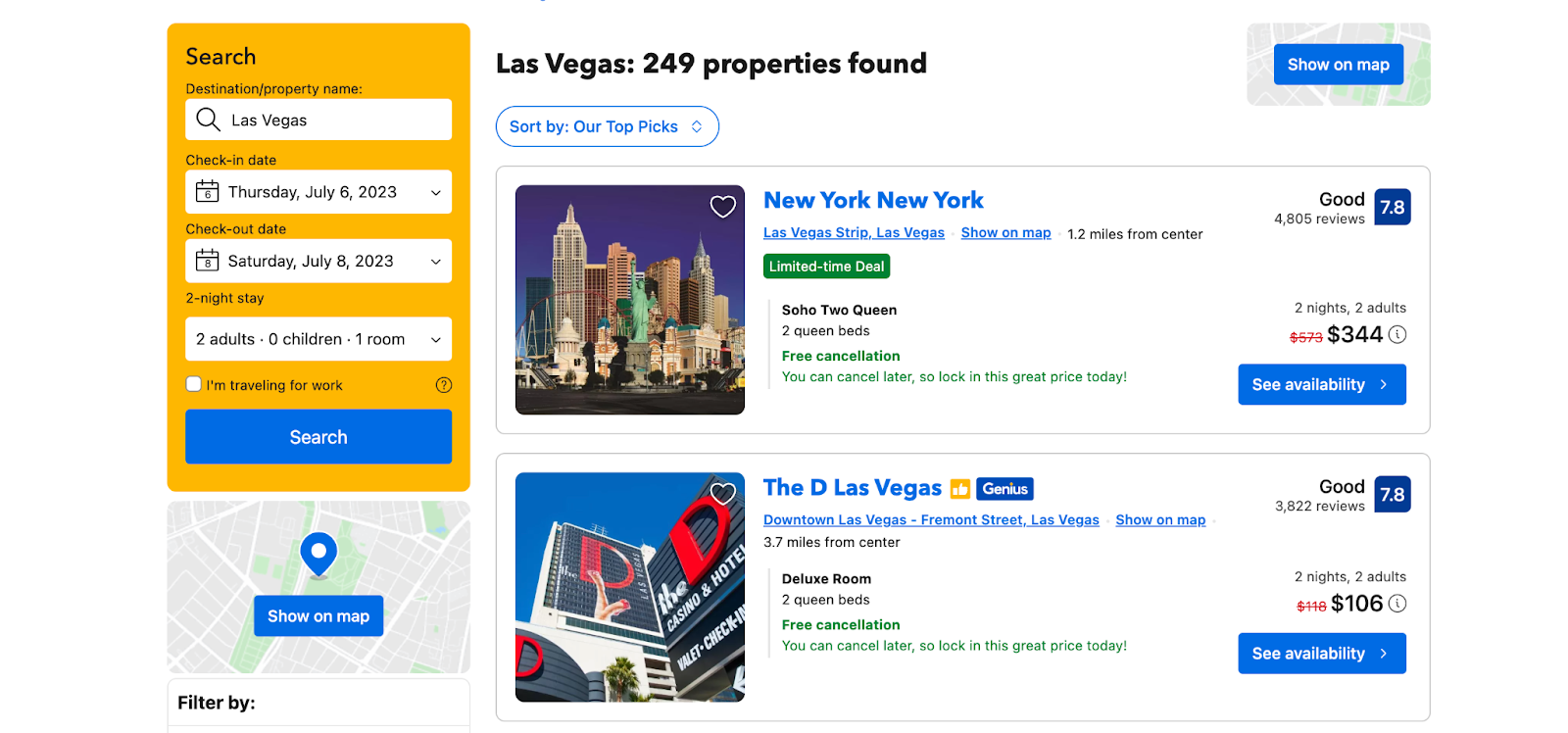
6. For long-term stay discounts, consider staying at a Booking.com vacation rental for a month.

great. Not everyone can afford to take a month-long vacation, but if you're one of the many remote workers around the world, you may want to consider a longer stay as many monthly rentals offer discounts for a month. If you book accommodation with a kitchen, you can save money on meals by cooking.
7. Save money on Booking.com flights
Here are some strategies to save money on your next Booking.com flight:
- Make a reservation in advance. You can reserve airline tickets up to one year in advance of your departure date. Prices fluctuate, but you can usually get the best rates well in advance of your flight. If you search in advance, you can also sign up for rate alerts. So, if you have a set vacation date planned, don't wait for a last-minute deal. Airfares usually increase at the last minute.
- Try flying mid-week. I can personally attest to how much you can save if you can be flexible with your travel dates. I saved over $1,000 on a recent trip to Maui by adjusting my flight date. Depending on your schedule, check flights on Tuesdays, Wednesdays, and Thursdays to see cheaper fares (where there are less crowds). Most travelers try to make the most of their weekends (to reduce the number of vacation days), so if you can buck this trend, you'll save money.
- Check the price difference between round-trip and one-way fares. Booking.com allows you to book one-way, round-trip and multi-city flights. It may seem illogical, but my recent trip to Maui was much cheaper to book two one-way tickets on different airlines than it was to fly on one airline.
8. Access the Booking.com travel community for insider tips and advice
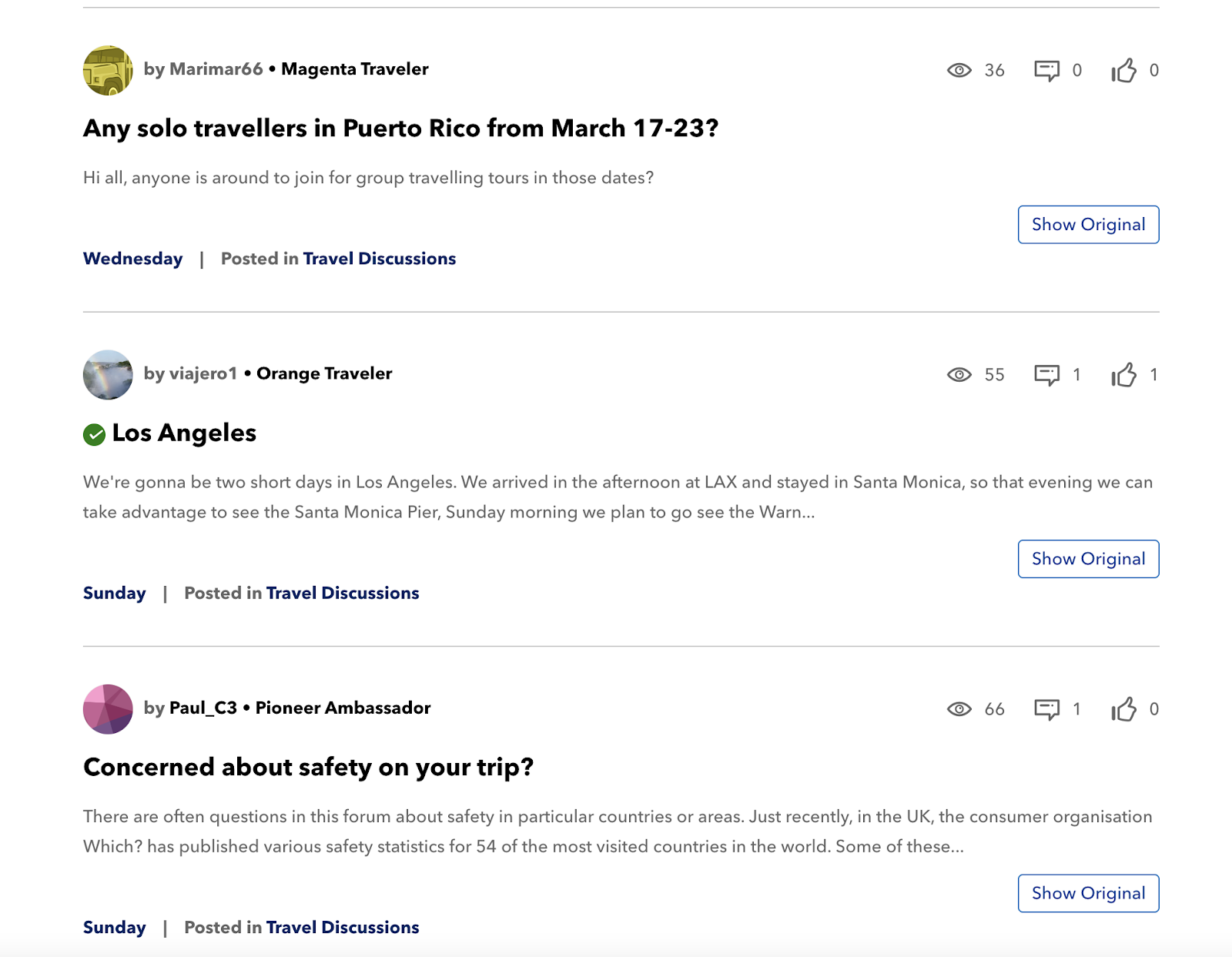
Booking.com has a travel discussion forum where members can share advice with other travelers. There's nothing like the first-hand knowledge and insider experience of a local. Check out our travel discussions for ideas on how to plan your itinerary, save money, and find a travel companion.
9. Search for attractions by price to fit your budget.
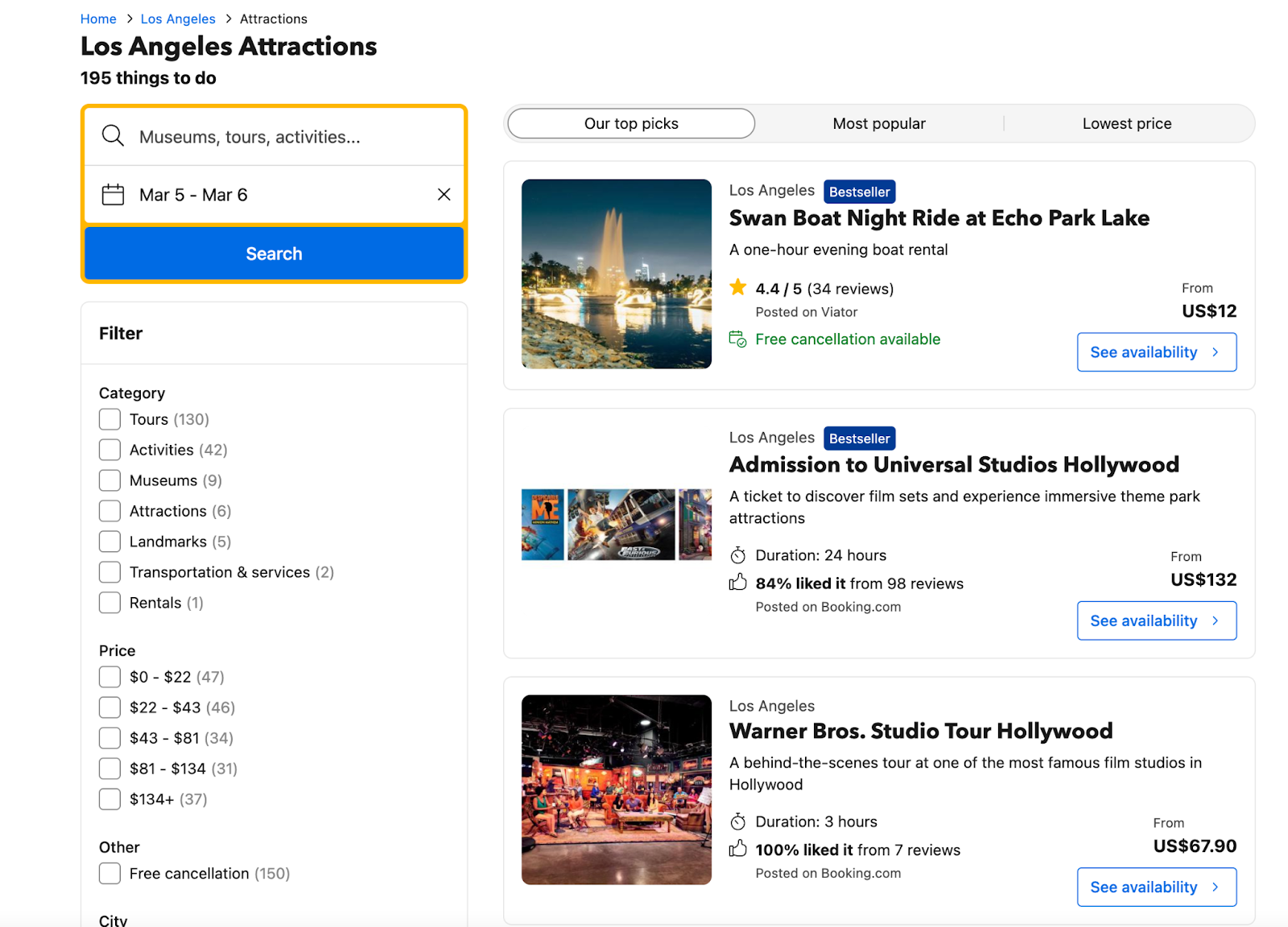
Booking.com provides a service for reserving attractions at your final destination. If you're traveling on a budget, it's useful to use the filter options to search by price. For example, if you're in Los Angeles for a short stay, you'll find activities to suit every budget. Yes, there are differences in what the experience will be like. However, it is wise to stick to what you can afford. Perhaps you'll discover new adventures you never thought of for your vacation experience.
The post 9 Ways to Save More at Booking.com first appeared on The Real Deal on RetailMeNot.